VASCO Assistant, IT Security Dossier
Written for institutional IT, CISOs, and anyone evaluating VASCO Assistant for local installation approval.
Architecture at a Glance
VASCO Assistant is a standalone desktop application distributed for Windows and macOS. It runs as a local process on the certifying official's workstation. There is no managed cloud backend involved in the core certification, calculation, or record-keeping workflow.
All student data stays on the workstation. The application does not open outbound connections during normal operation, with the single exception noted below under Network Requirements. There is no data pipeline, no shared tenant, and no multi-institution database to evaluate.
Data Model and Storage
Local Database Only
- Embedded local database, file-based, stored inside the VASCO's user profile.
- No shared tenant. No multi-workstation sync by default.
- Student PII never leaves the device as part of certification workflows.
Telemetry Posture
- No telemetry of student records, names, SSNs, or file numbers.
- No third-party analytics embedded in the workflow surface.
- Crash and diagnostic reporting, if present, is opt-in and excludes record content.
FERPA Posture
Because no student data leaves the workstation during normal use, there is no cloud provider FERPA surface area to evaluate. The institution is not handing records to a third-party data processor. The product does not act as a school official under a FERPA exception, because it does not receive records.
In practical terms, data handling reduces to the institution's existing endpoint security policy: disk encryption, access controls on the user profile, workstation backup policy, and offboarding. The same posture the institution already applies to a VASCO storing a spreadsheet locally applies here. If your registrar is reviewing the compliance case alongside your security review, the registrar overview covers how the tool reduces exposure to overpayment debts and audit findings.
Network Requirements
Offline by Default
Core certification workflows, calculators, and record entry operate with no network connectivity. An air-gapped workstation can complete the full daily workload.
Update and Regulatory Checks
A lightweight check may contact a central endpoint to fetch current version info and regulatory table updates, for example, updated benefit rate tables. The payload is version strings and public regulatory data. No student PII is transmitted. This check is configurable and can be disabled on restrictive networks.
Installation Footprint
- Supported OS: Current supported releases of Windows and macOS.
- Install size: A standard desktop application footprint. Binaries and the local data store live in the user profile.
- Permissions: Runs as the logged-in user. No elevated privileges required for normal operation. No kernel driver or system-level service.
- Outside the user profile: The application does not write to system directories during normal use. No registry autoruns beyond the standard install entries.
- Uninstall: Standard OS uninstaller removes binaries. The local data store in the user profile can be removed by the user, preserving the expected data-residency boundary.
What IT Does Not Need to Do
No Firewall Carveouts
Beyond the optional update check, no inbound or outbound rules are required. No persistent connections.
No SSO Integration
No IdP configuration. No SAML, OIDC, or SCIM provisioning. The product authenticates to the local OS session only.
No Cloud Tenant
No tenant to provision, no admin console to manage, no shared user directory to synchronize.
No DPA Required
A product that performs no data processing on institutional records does not create a data processing relationship to paper over.
Getting Approval Through Procurement
- Purchase path: The product is purchased by the VASCO or by the department that employs the VASCO, not via an institutional cloud contract.
- Security review: Scope is endpoint software approval, not vendor risk assessment for a SaaS provider.
- Documentation: On request, we can provide a technical memo covering data flow, network behavior, and installation footprint suitable for attaching to a software approval ticket.
- Contact: Request the memo through the waitlist or via LinkedIn.
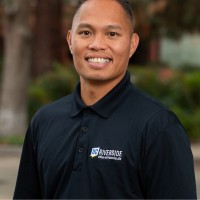
Request the Technical Memo
Blason Taon, Ed.D.
Senior VASCO, Founder, VASCO Assistant
Connect on LinkedIn → (opens in a new tab)Approve Installation for the Requesting VASCO
Join the waitlist to receive the technical memo, or connect with the founder on LinkedIn for a direct conversation about your institution's review process.